
 Join our Discord
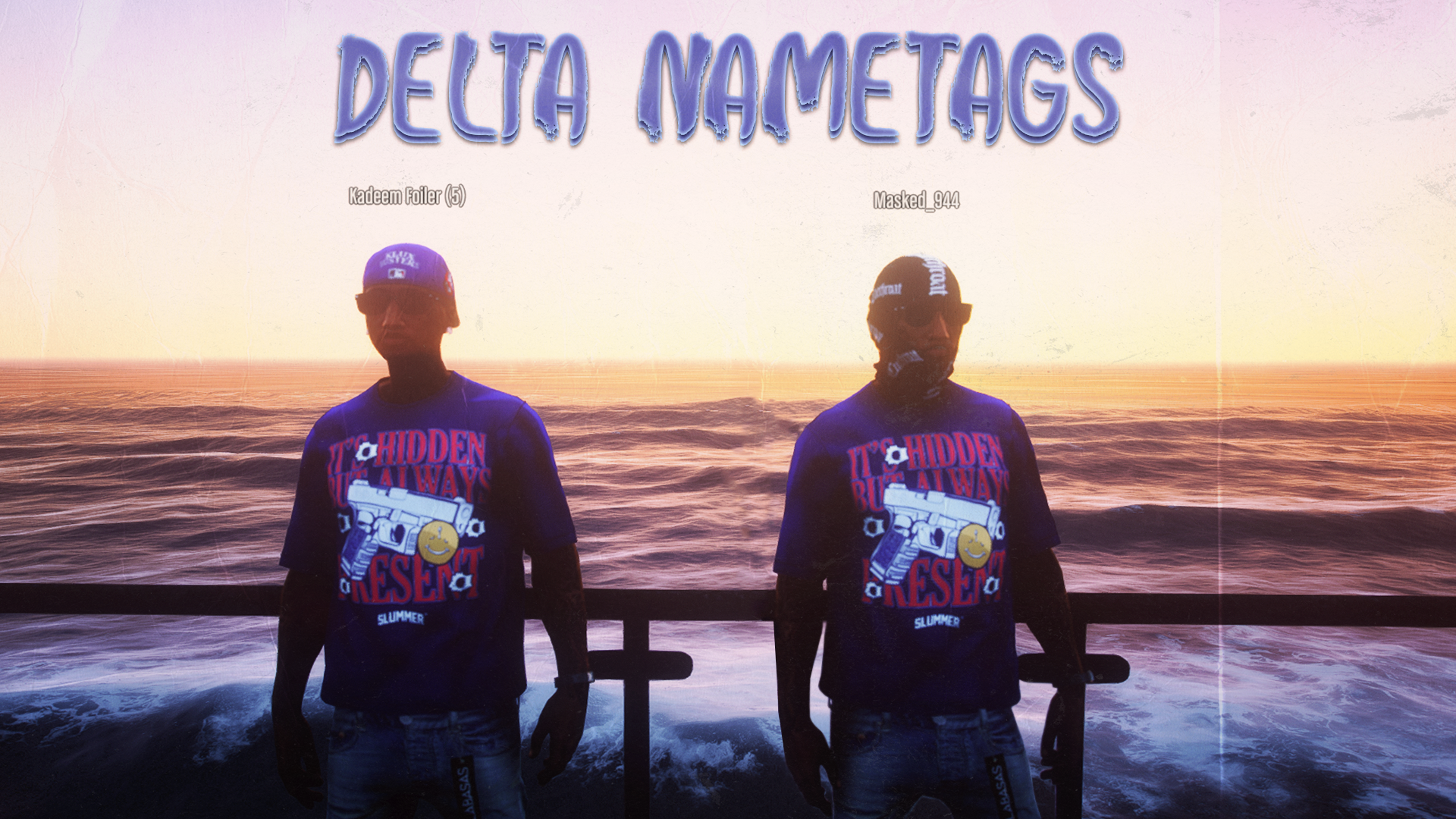
Preview:
Features
Toggle Nametags
Players can toggle their own and other player nametags on or off, allowing for flexible roleplay situations.
Dynamic Health Indicators
Nametags turn red when players take damage, providing immediate visual feedback during intense moments.
Masking & Identity Concealment
The script automatically masks player identities when wearing a mask, hiding their real name and displaying a masked alias (e.g., "Masked_123") instead. Nametags revert to the character's true name when the mask is removed.
Meeting System
Players must meet each other before seeing names. Unknown players appear as "Stranger" until a meeting is established through the `/meet` command.
Age Indicators
Players under 18 years old are automatically marked with an "(M)" indicator next to their name.
Commands
• /nametags - Toggle visibility of all player nametags
• /selfnametag - Toggle visibility of your own nametag
• /ids - Toggle player ID display on nametags
• `/meet [player_id]` - Request to meet another player (Press Y to accept, X to deny)
• /changename [targetId] [new name] - Change a player's name (Admin only)
• /changedob [targetId] [dateofbirth] - Change a player's date of birth (Admin only, Format: YYYY-MM-DD or DD/MM/YYYY)
Configuration
All commands can be customized in `config.lua`:
- Change command names
- Enable/disable commands
- Customize descriptions and chat suggestions
- Configure admin groups for `/changename` and `/changedob` commands
Admin Groups
Admin groups that can use `/changename` and `/changedob` are configurable in `config.lua`:
```lua
Config.AdminGroups = {
['admin'] = true,
['superadmin'] = true,
['mod'] = true,
}
```
Add or remove groups as needed for your server.
Dependencies
- **es_extended** - ESX Framework
- **oxmysql** - MySQL Database